AI for accounting offices: from a photo of an invoice to a prepared booking.
This worked example shows invoice and receipt capture with AI in an accounting office, step by step. The assistant reads each document, codes every line to an account by the office's rules and leaves what it is unsure about to the office.
The job
Clients bring their invoices and receipts on paper or send photos one at a time. Someone in the office reads every document and types it in: the supplier, the date, the amounts, the VAT, and for every line the account it belongs to.
The typing takes the time, and it is the same every month. The judgement needs an accountant: is this line a business expense, and which account does it go to for this client? This AI workflow for accounting takes over the typing, the automated bookkeeping entry, and only prepares the judgement.
Step by step
The client photographs the documents
The office's client, or someone in the office, photographs invoices and receipts with a phone.
- Assistant
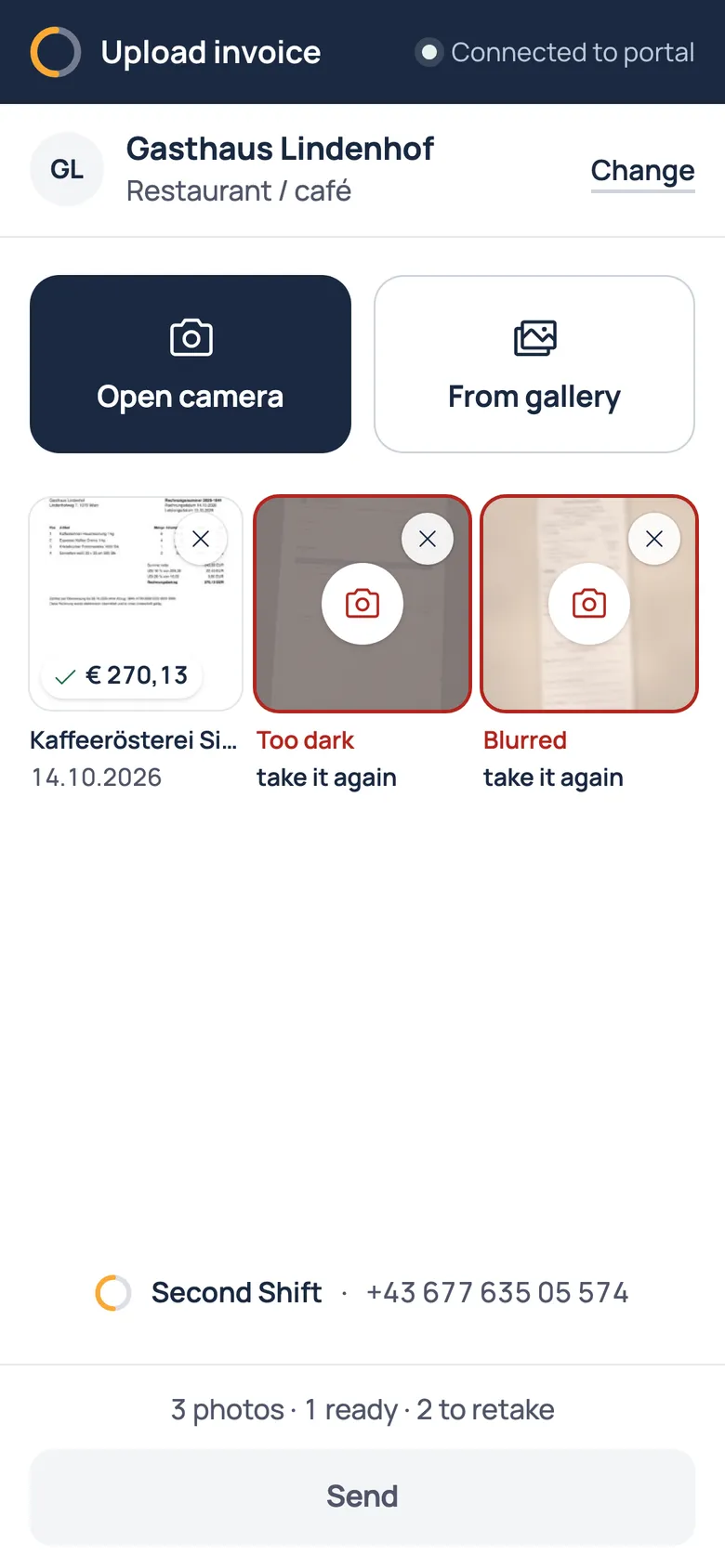
A blurry photo is flagged at once
A photo that is blurred, cut off, too dark or not an invoice is marked on the phone as it comes in, and only that one is taken again.
- Assistant
The assistant reads every document
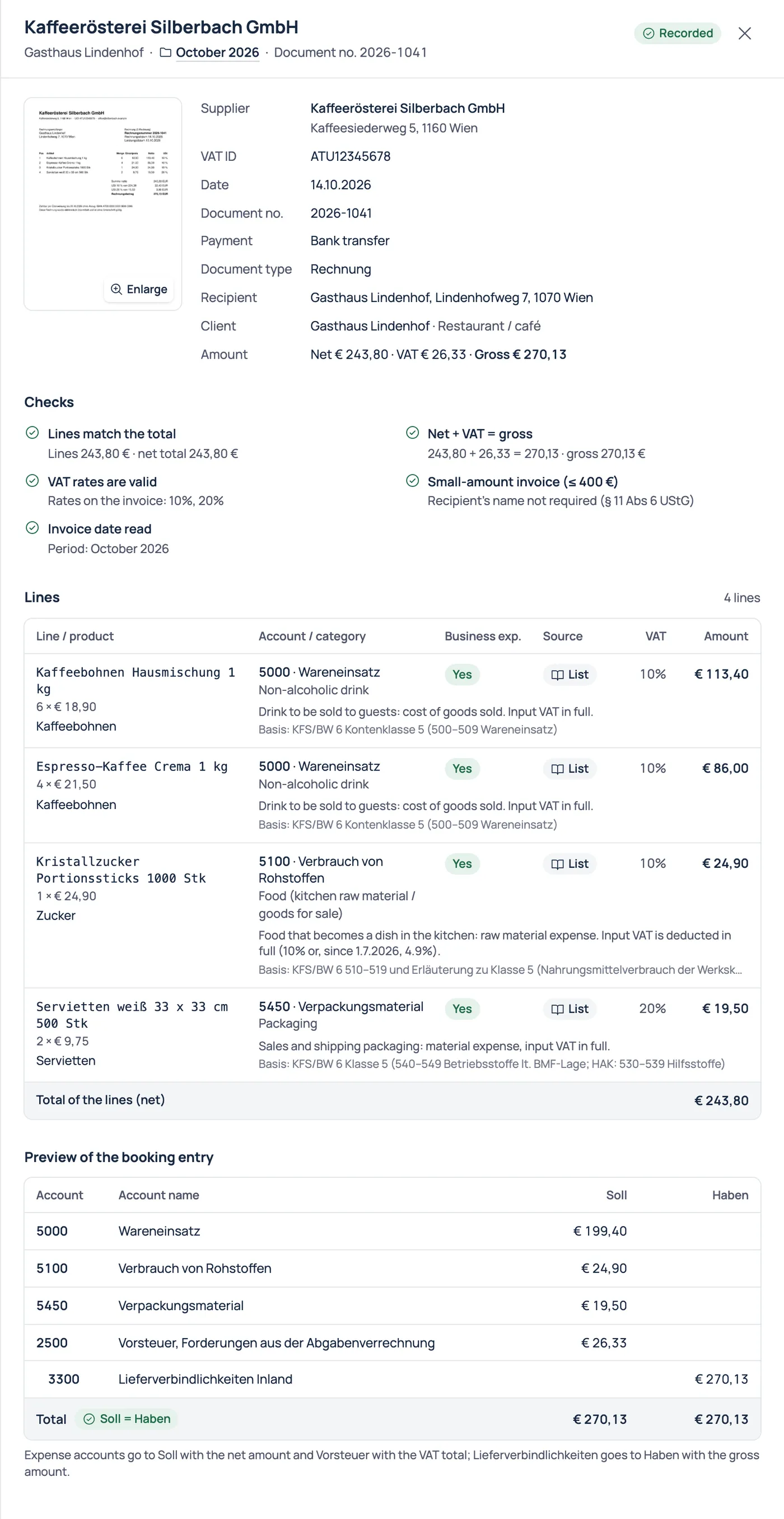
It takes the supplier and its tax number, the date, the invoice number, every line, the VAT for each rate, the totals and the payment method.
- Assistant
Every line is coded to an account
The office's rules decide: what was bought, and what kind of business the client runs. The same cleaning product is goods for resale in a shop and an expense in an office. Each line is also marked as a business expense or not.
- Assistant
The figures are checked
The lines are added up against the printed total, and the VAT rates and the details an invoice must carry are checked. A document that does not add up is marked.
- You decide
The unsure lines wait for the office
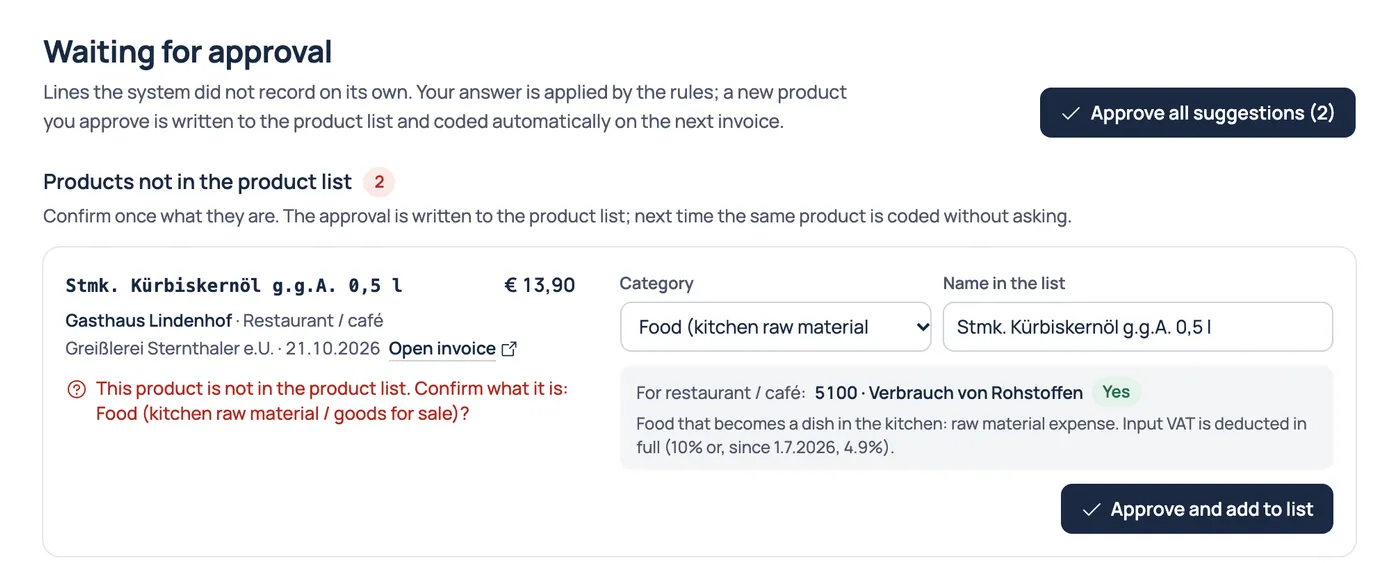
A line the rules cannot decide comes to the office as a question, and a product the assistant does not know waits for its category. Where the office keeps a product list, the answer goes into it, and that product is not asked about again.
- Assistant
The booking is prepared and filed
Each invoice lands in the client's folder for its month, with a preview of the booking entry. A period's bookings download as a file for your accounting program.
What it looks like
These are screens of the example, running on invented documents. The example's interface is in Turkish; the screens are shown translated.
What stays with you
The rules are yours: your chart of accounts, and which purchase goes to which account for which kind of client. The assistant names what was bought. The account comes from your rules.
Checking and posting stay in the office. Lines the rules decide are prepared without a question. When the assistant is unsure, it asks instead of guessing, and the invoice stays out of the file until someone in the office has answered. It posts nothing in your accounting program: it hands over a file, and the office imports it.
See it running
The example runs on invented documents: made-up suppliers, made-up clients and a sample chart of accounts.
I show you this running at your place in Vienna. Afterwards you can try it with your own documents through a time-limited link I send you.
The first conversation is free and takes twenty minutes, in Turkish or English. Before anything is built you get a fixed price in writing.