AI for loan brokers: collecting the documents for a loan application.
This worked example shows what an assistant does for a loan or mortgage broker, step by step. A client emails the documents; the assistant files them, checks what is still missing for the application and prepares the request for it.
The job
A client who wants a home loan sends documents by email or WhatsApp: an ID, the registration form, payslips, bank statements. The files carry the names a scanner gave them, some months are missing, and someone has to open each file to see what it is.
Then the files are renamed and put into the client's folder, the bank's list is ticked off by hand, and the client is asked for what is missing. Only then can the broker look at the case. This email triage is the same work for every client.
Step by step
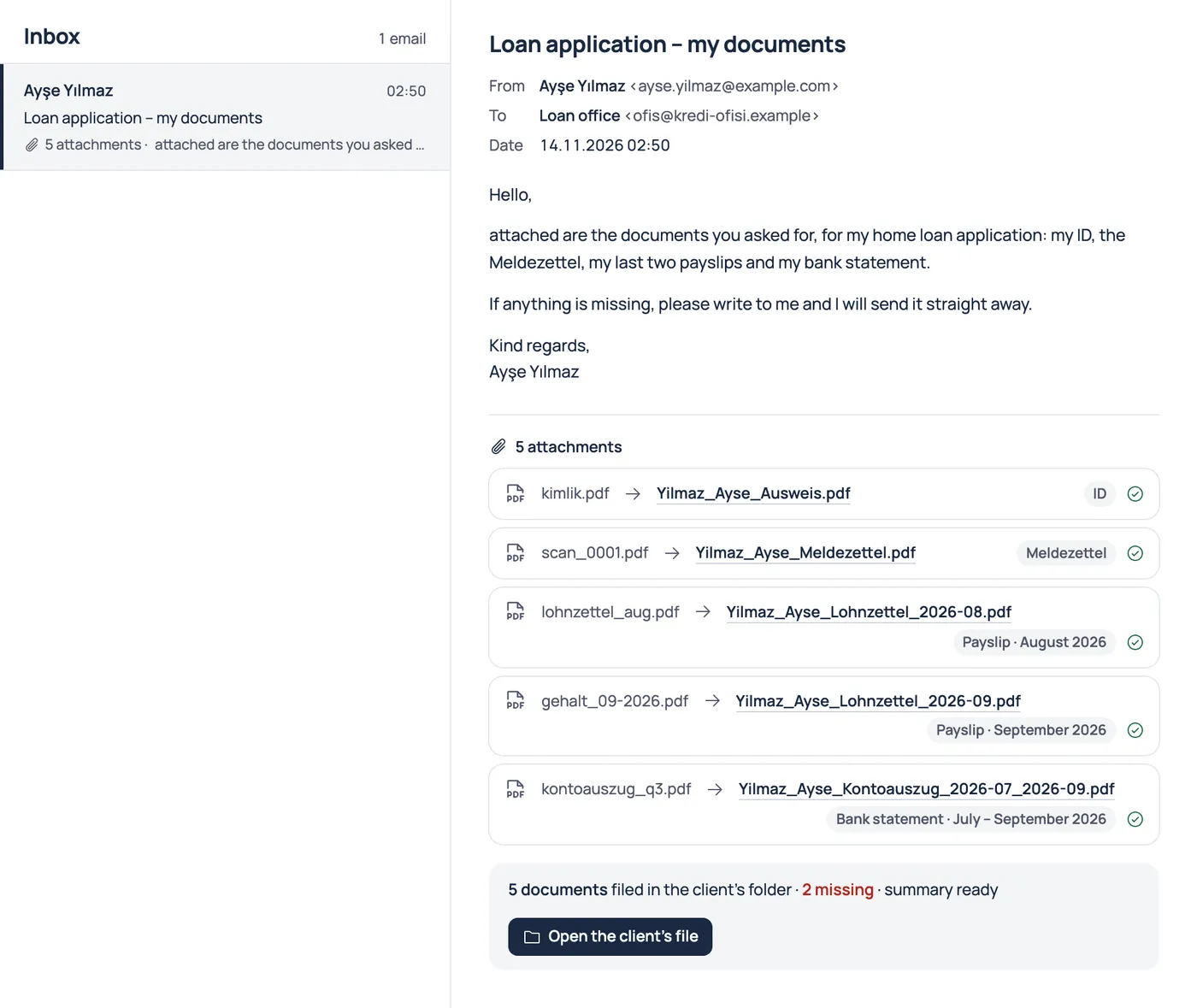
The client's email arrives
It carries the documents as attachments, PDFs or photos. The email opens the client's case.
- Assistant
Each attachment is recognised and read
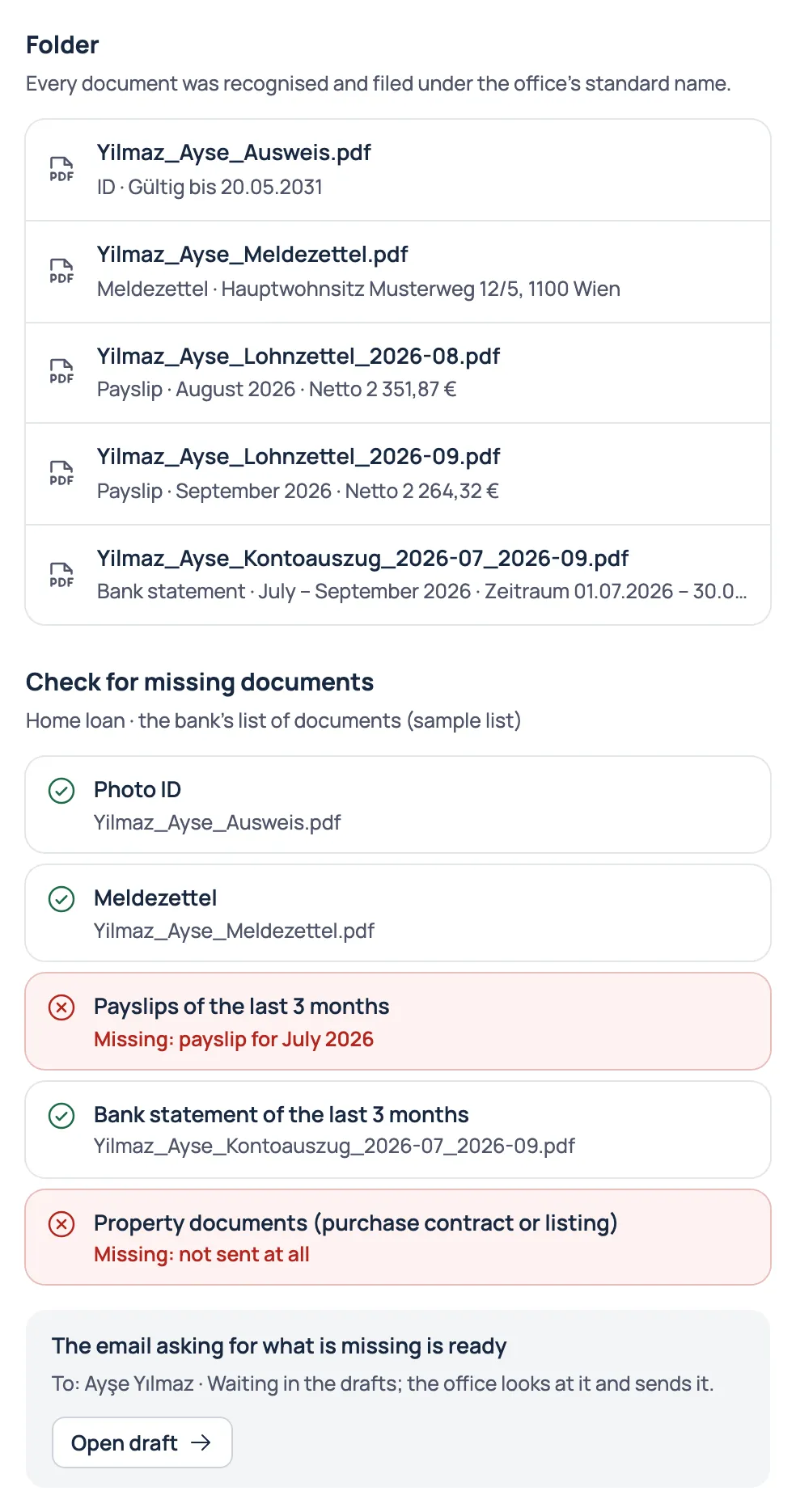
The assistant says what each document is: an ID, a registration form, a payslip, a bank statement or a property document. Then it reads what matters for that type, such as the month and the net pay on a payslip.
- Assistant
Every document gets a standard name
Each file goes into the client's folder as a copy, named after the office's pattern: surname, first name, type of document and period.
- Assistant
The bank's list is checked
The assistant compares the folder with the list of documents the chosen bank asks for. It counts months back from the newest document, so it can say which payslip or statement is missing.
- Assistant
The request for what is missing is drafted
An email to the client lists the missing documents. It waits in the drafts folder until the office sends it.
- Assistant
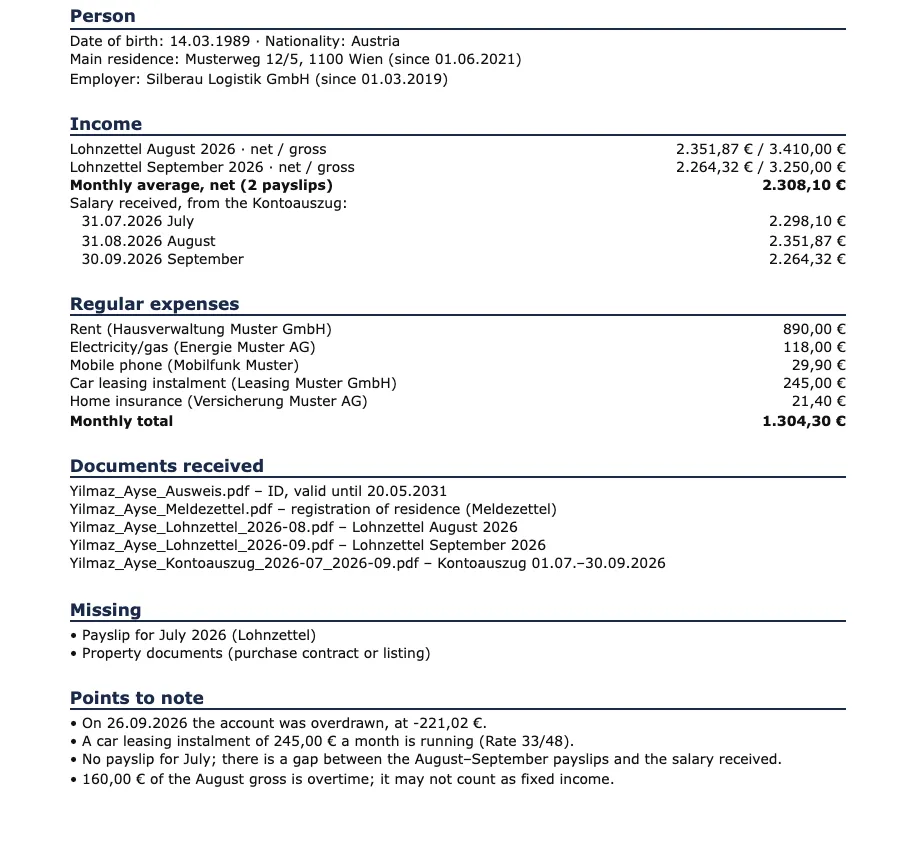
A one-page summary is written
It is for the broker: the person, the income from the payslips, the regular outgoings from the bank statement, the documents received, what is missing, and notes on what to notice, such as a running loan instalment.
- You decide
The broker gives the go-ahead
The broker reads the summary and decides which bank to apply to. Then the email to the bank is prepared with every document and the summary attached, and it waits in the outbox. In the example nothing is sent to a bank.
What it looks like
These are screens of the example, running on invented documents. The example's interface is in Turkish; the screens are shown translated.
What stays with you
The decision to apply is the broker's, and so is the choice of bank. When the bank is changed, the folder is checked against that bank's list again and the summary is rewritten.
Nothing leaves by itself. The request to the client is a draft, the application waits in the outbox, and the bank's online form is shown filled in but never submitted. The summary holds only what is printed on the documents. A value the assistant cannot read is left out, and a page it cannot read is marked for you.
See it running
The example runs on invented documents: a client who does not exist, and document lists that are samples, not those of a real bank.
I show you this running at your place in Vienna. Afterwards you can try it with your own documents through a time-limited link I send you.
The first conversation is free and takes twenty minutes, in Turkish or English. Before anything is built you get a fixed price in writing.